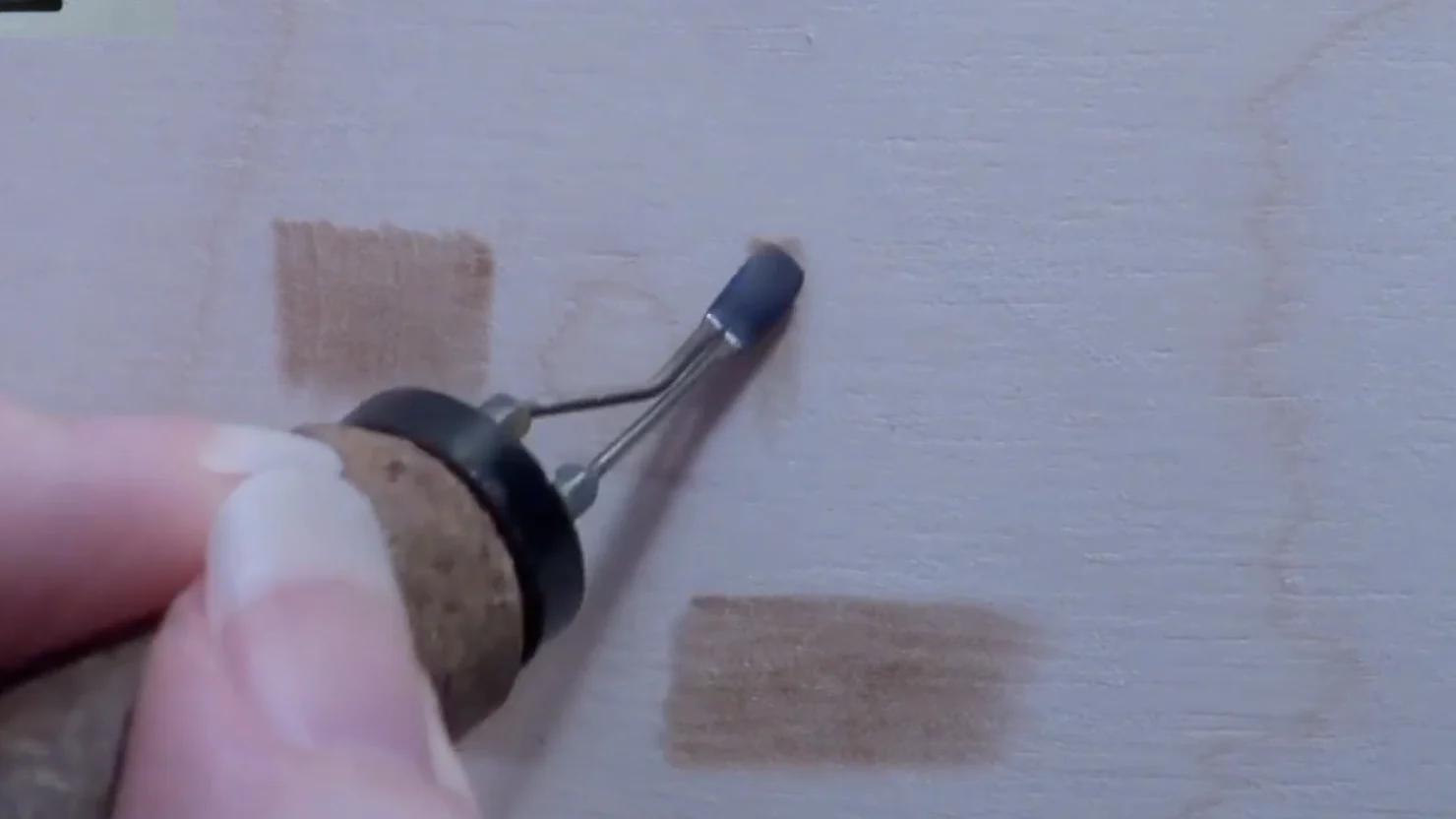
Choose the pen around the projects you want to make. A solid-point tool is a practical starting place for simple lettering, outlines and stamped details. A wire-nib station gives you a different grip and a choice of fine writing and shading nibs. Both can produce detailed work with practice.
The useful differences are how the pen feels, how you control the heat and which tips you can replace. A larger accessory count does not automatically make a tool easier to use.
Solid-point: a simple starting setup
A solid-point pen usually has a substantial metal tip that screws into a heated barrel. Common shapes include a pointed writing tip, a broad shading face and small stamps. Some pens have a heat control; others work at a fixed output.
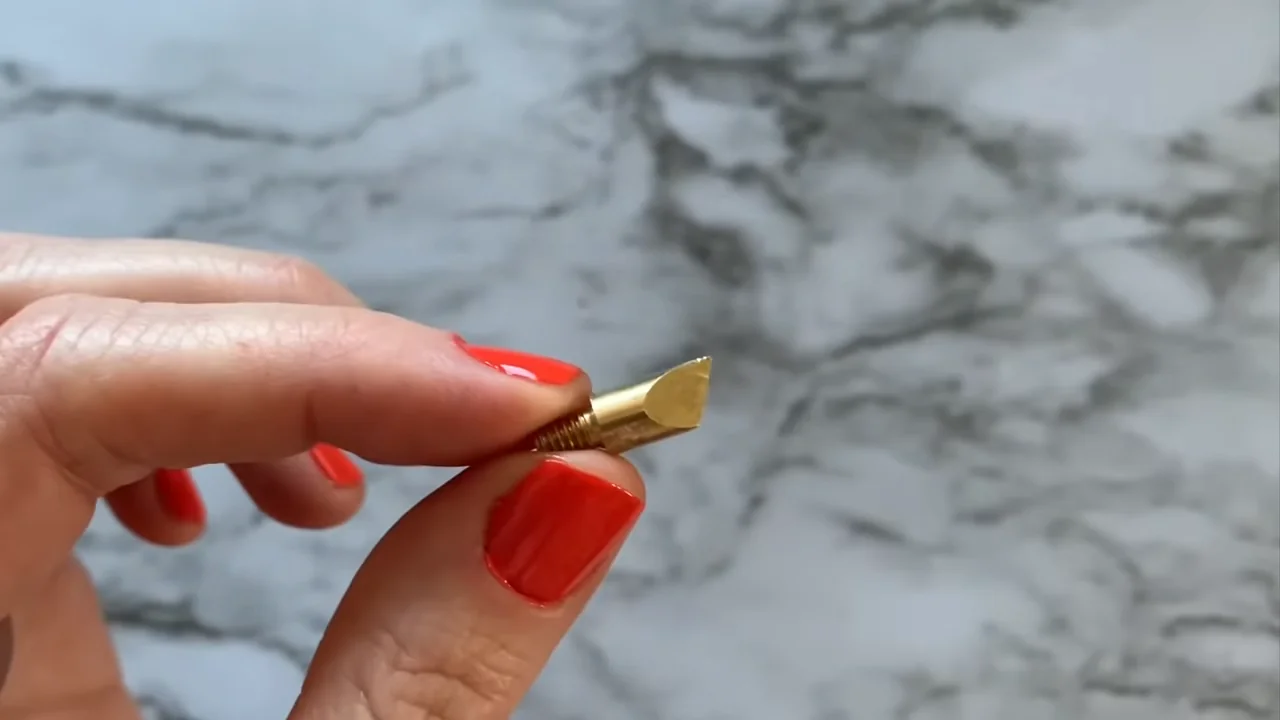
The angled edge of a universal tip can make narrow strokes, while a broader face can create wider marks. Try changing the angle on scrap before changing the tip. That small adjustment can be enough for a line, an edge or a filled shape.
- Consider it for: names, signs, ornaments, simple outlines and repeated stamped marks.
- Check the grip: the distance from your fingers to the tip affects how the tool feels during curves and small letters.
- Plan tip changes: follow the maker’s cooling and removal instructions. Never force a hot screw-in tip.
The Weller WLIWBK2512A is a 25W, 120V US kit with a short-barrel iron, six wood-burning tips, three branding tips and a storage case. It is an option for a straightforward solid-point setup; check the supplied shapes against the marks you actually want to make.
Wire-nib: choose the shape for the mark
A wire-nib pen uses a shaped wire tip connected to a powered station. Writing nibs, rounded shaders and other profiles give you different contact areas. Many systems place the grip close to the tip, which can help with small movements.
Consider this setup if you want to spend more time on controlled shading, textures and fine detail. It is not a shortcut around wood preparation or practice, and solid-point tools can shade too.
- Check the heat control. Look for adjustments you can repeat rather than choosing by the highest advertised temperature.
- Check tip compatibility. Some systems use removable wire tips; others use dedicated pens or different fittings. Similar-looking nibs are not necessarily interchangeable.
- Use light pressure. Let heat and movement make the mark. Pressing harder can damage a delicate nib and leave grooves.
The YIHUA 939-II is a single-pen station with a heat-control dial and 20 wire nibs. Its current US listing specifies 110–127V, 60Hz. The supplied nib selection lets you explore several shapes without starting with a two-pen station.
Do you actually need both?
A combination station makes sense when your projects regularly mix solid-point stamps or broad marks with wire-nib detail. If you mainly make one kind of project, a single pen with the right tip can keep your workspace simpler.
The WEP 939D-II 2-in-1 has a solid-point pen and a wire-nib pen, with separate heat controls. The kit includes 51 solid points and 20 wire nibs. Its US specification is 110–127V, 60Hz.
Do not confuse “two pens” with “two pen types.” Some dual-pen stations have two wire-nib handpieces. Check the exact model and included pens before ordering.
Warm-up time also depends on the model. WEP’s listing gives approximately two to three minutes for its solid-point pen and one to two minutes for its wire-nib pen. Treat those as the listed estimates for this station, not a rule for every burner.
Three setups to compare
Use these examples to compare what is included and which setup fits your work. Product names and images link to the corresponding US Amazon item.
| Product | Pen setup | Included tips | Consider for |
|---|---|---|---|
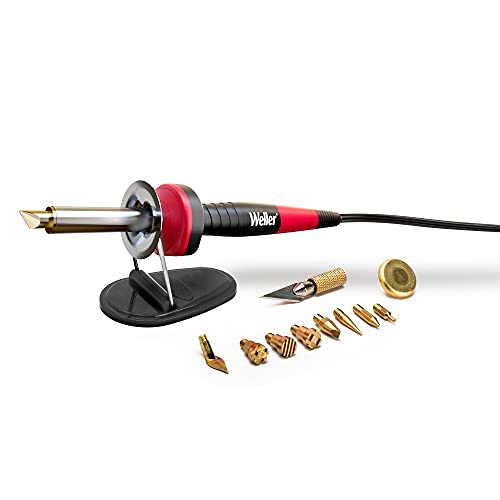 Weller WLIWBK2512A Weller WLIWBK2512A |
Solid-point iron | Six wood-burning tips; three branding tips; storage case | Simple lettering, outlines and stamped details |
 YIHUA 939-II YIHUA 939-II |
One wire-nib pen; dial control | 20 wire nibs; pen holder | Exploring writing nibs and shading shapes |
 WEP 939D-II WEP 939D-II |
One solid-point and one wire-nib pen | 51 solid points; 20 wire nibs; holder | Projects that regularly use both pen types |
Compare the complete kit cost, replacement tips, available support and the space the station needs. A long list of accessories matters less than a comfortable pen and a few useful, replaceable tips.
Try the same simple marks before upgrading
If you already own a burner, use it on a smooth piece of known, unfinished wood before deciding it is the wrong type. A small practice panel helps separate a tool limitation from a change in grip, speed or wood grain.
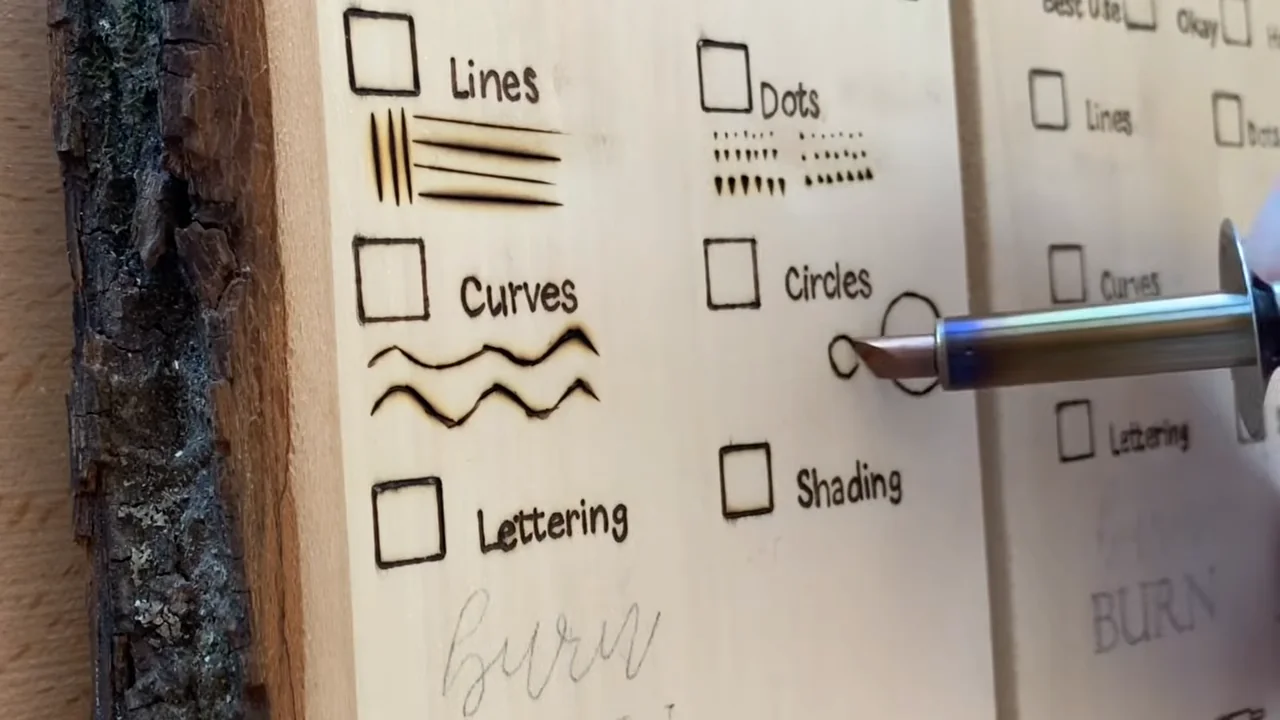
- Make a few straight lines. Keep a light touch and lift before pausing. Compare strokes with and across the grain.
- Add curves and one simple letter. Turn the wood so you are moving comfortably rather than twisting your wrist.
- Fill a small patch. Build the tone gradually with overlapping marks. Change one setting or movement at a time.
- Note the limitation. Is the grip awkward, the heat difficult to manage, or the tip shape unsuitable? Look for an upgrade that solves that specific problem.
Keep the workspace ventilated, use the proper holder and follow your tool’s instructions for cleaning and tip changes. Our tip and nib guide explains which shapes to try next.
Choose your first setup with confidence
- Occasional names, signs and simple gifts: start by comparing solid-point kits and the tips you will use most.
- Regular shading and fine-detail practice: compare adjustable wire-nib stations, paying attention to grip and replacement nibs.
- Frequent use of both styles: consider a combination station once you know why you need each pen.
You do not need to buy every accessory at once. Our from-scratch kit checklist helps you round out the workspace, and the wood-burning pen guide covers more options.